
SFS Server on the AWS Marketplace
Run DocEvent's secure file server inside your own AWS account: a self-hosted SFTP, FTPS, FTP and SCP endpoint over your own S3, GCS, Azure or S3-compatible buckets. Deployed in minutes from a CloudFormation template, billed hourly through AWS — no license keys to manage.
Current pricing, regions and instance types are on the listing. Prefer an annual license on your own hardware? See Self-Hosted.
What you get
The same battle-tested server that powers our managed service, packaged as an appliance for your own cloud.
Multi-protocol access
An SFTP, FTPS, FTP and SCP front end over object storage, so partners and legacy systems that speak file-transfer protocols can read and write your buckets directly.
Bring your own storage
Amazon S3, Google Cloud Storage, Azure Blob / Data Lake / Files, and any S3-compatible endpoint — without copying data into a proprietary store.
Runs in your AWS account
Deployed from a CloudFormation template into your own VPC. Your files and credentials never leave your infrastructure.
Billed hourly by AWS
Pay per running instance-hour on your existing AWS bill. No separate license to purchase or manage — subscribe and launch.
Self-healing and scalable
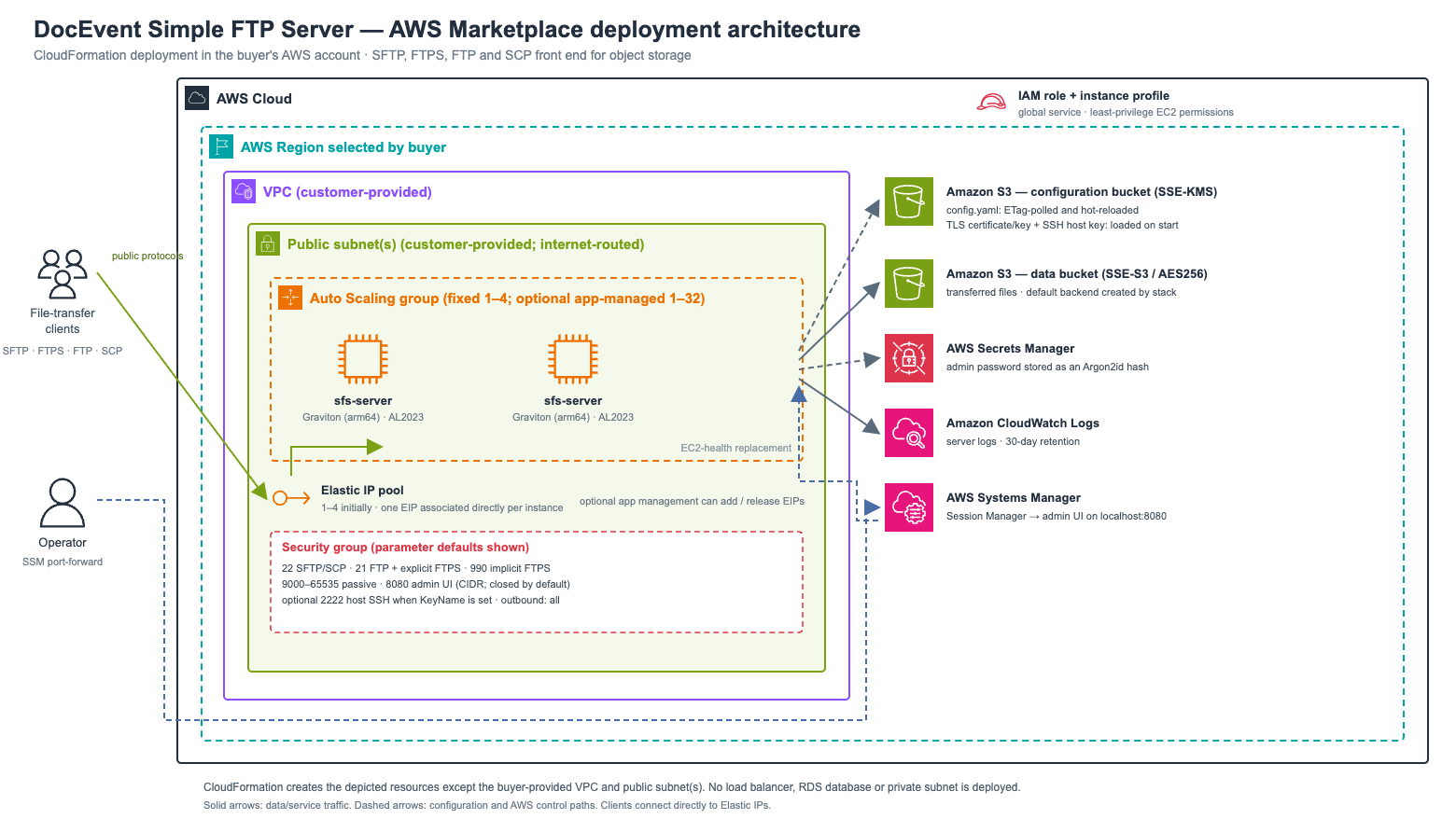
Interchangeable instances behind a pool of stable Elastic IPs, managed by an Auto Scaling Group that replaces unhealthy servers automatically.
Built-in admin UI
A browser-based control panel to manage services and users, upload TLS certificates and the SSH host key, watch live health, and restart the server — no shell access required.
Secure by default
Non-root service user, admin password stored as an Argon2id hash in AWS Secrets Manager, audit-logged changes, and fail-safe startup that keeps the admin UI reachable.
Graviton price/performance
Runs on AWS Graviton (arm64) instances on Amazon Linux 2023 for the best price/performance, with CloudWatch logging preinstalled.
How it deploys
One CloudFormation stack runs interchangeable Graviton instances in an Auto Scaling Group behind a pool of stable Elastic IPs. All shared state — configuration, TLS certificate and SSH host key — lives in a versioned, KMS-encrypted S3 bucket. Configuration changes hot-reload across the fleet; unhealthy servers are replaced automatically and reclaim the same public IPs.
A look inside
Everything is managed from the built-in, authenticated admin UI — click a screenshot to enlarge.
Preview
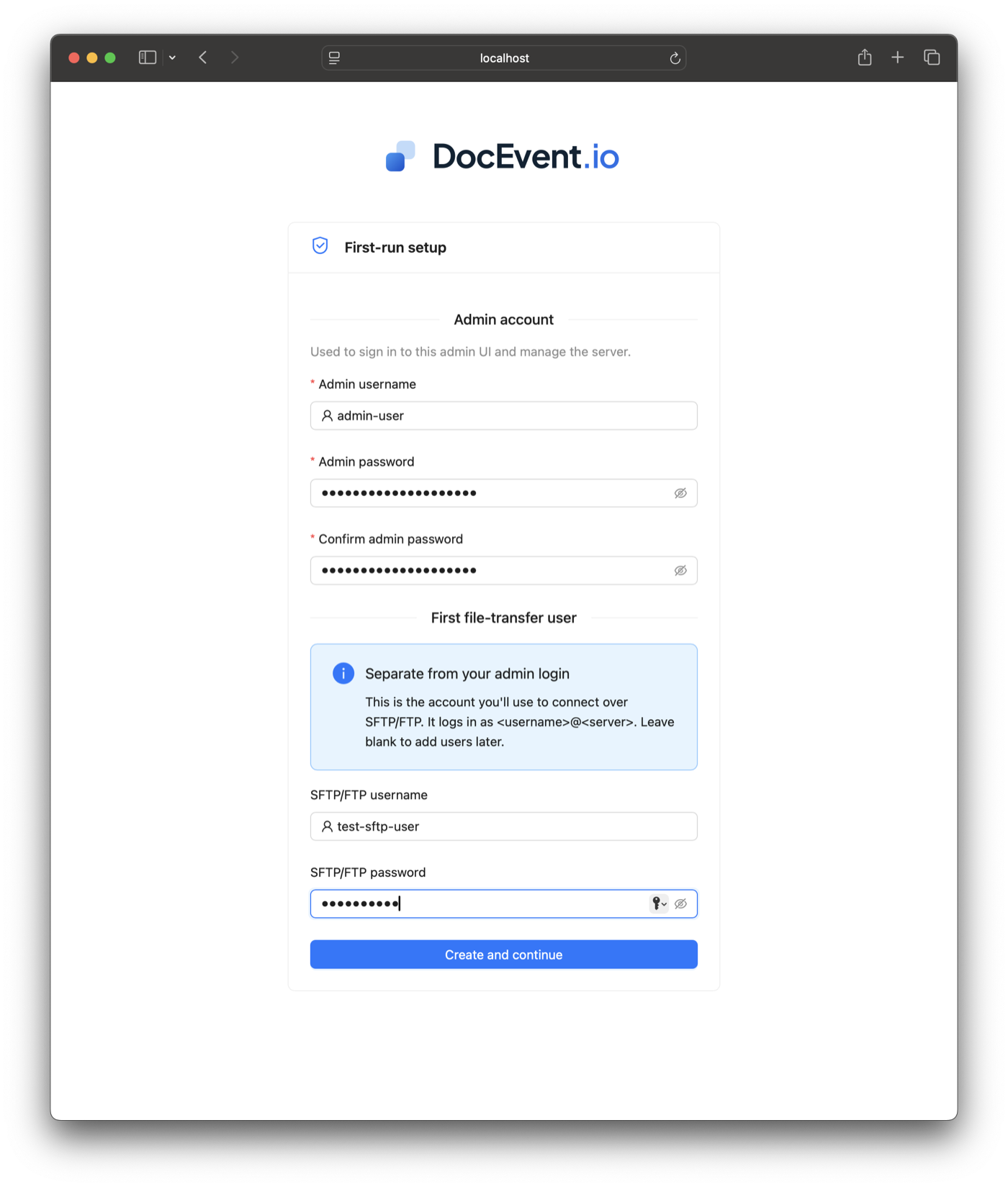
First-run setup
Create the admin account and an optional first file-transfer user in the browser.
Preview
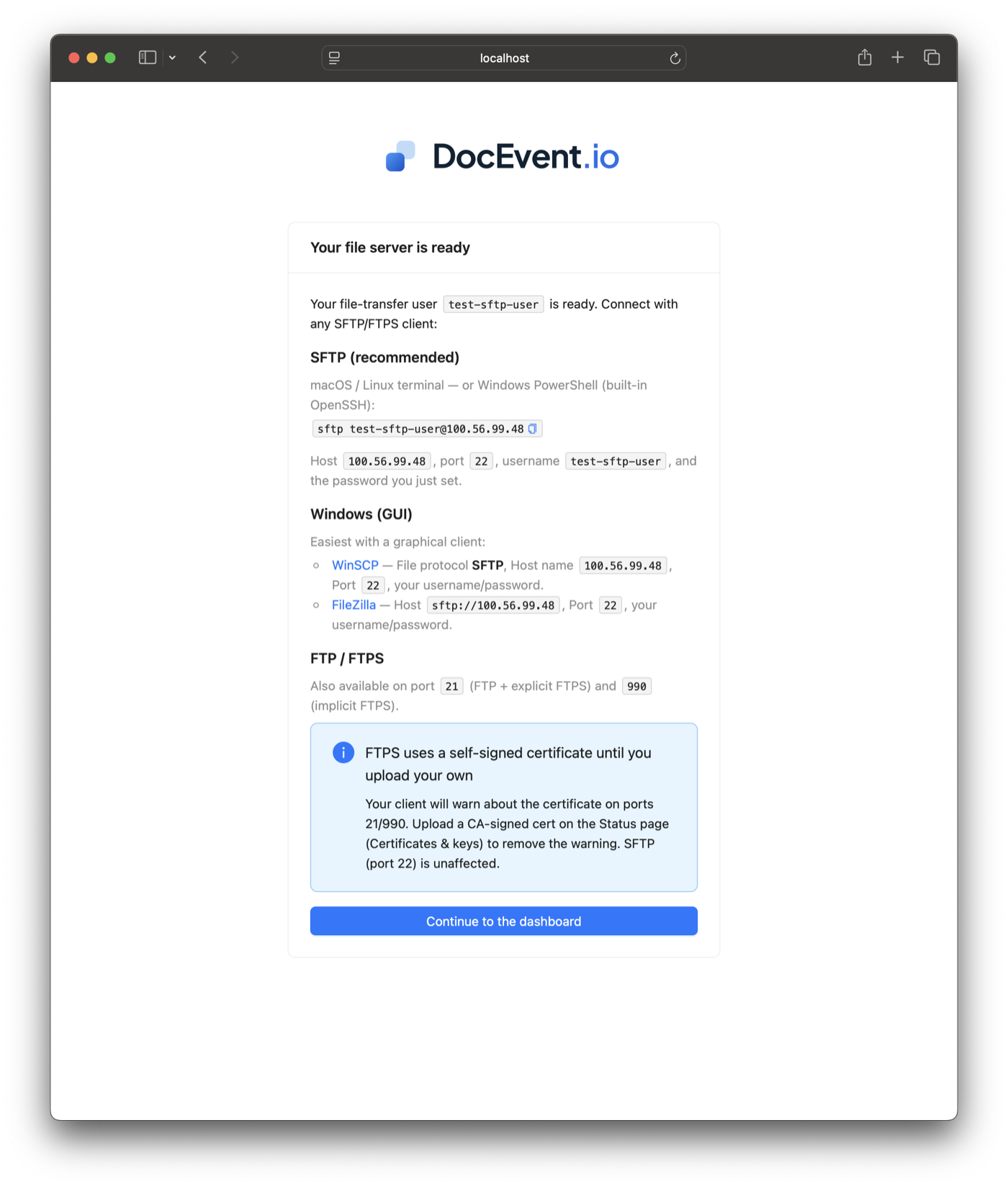
Ready to connect
Copy-paste connection details for SFTP, WinSCP, FileZilla and FTP/FTPS clients.
Preview
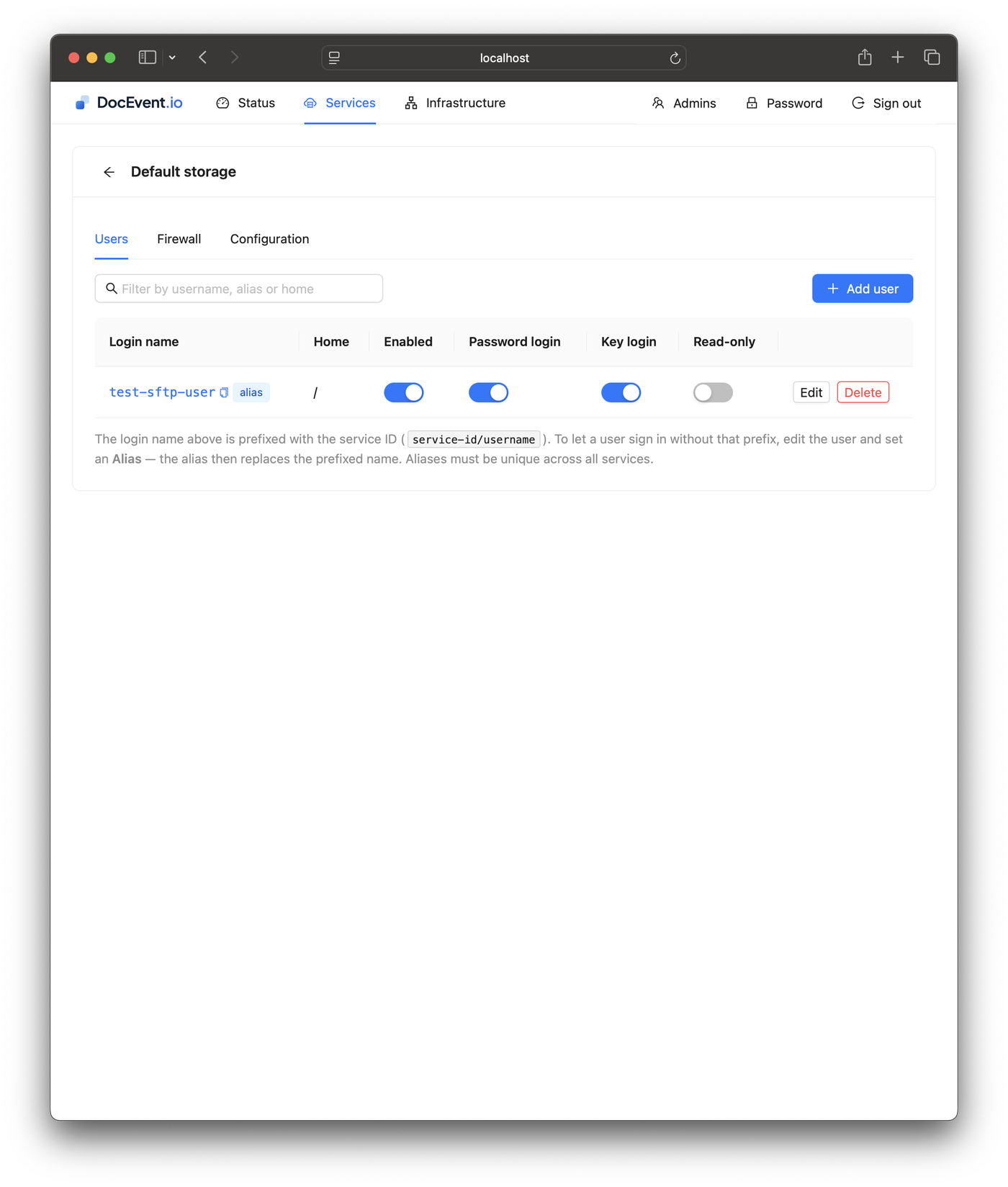
User management
Add, edit and disable file-transfer users, with per-user home directories and read-only mode.
Preview
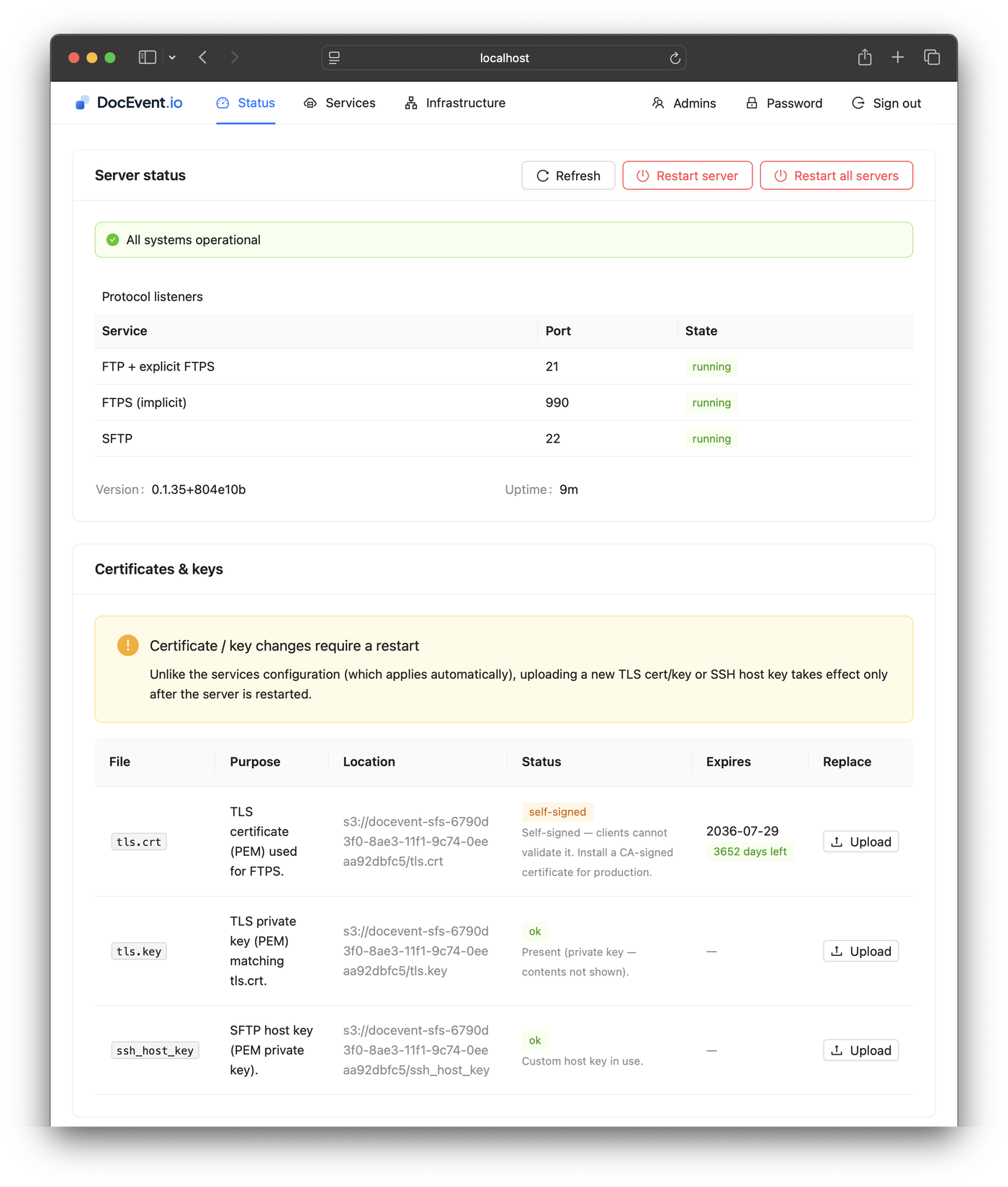
Live status & certificates
Protocol listeners, health, and TLS/SSH key management with one-click server restart.
Preview
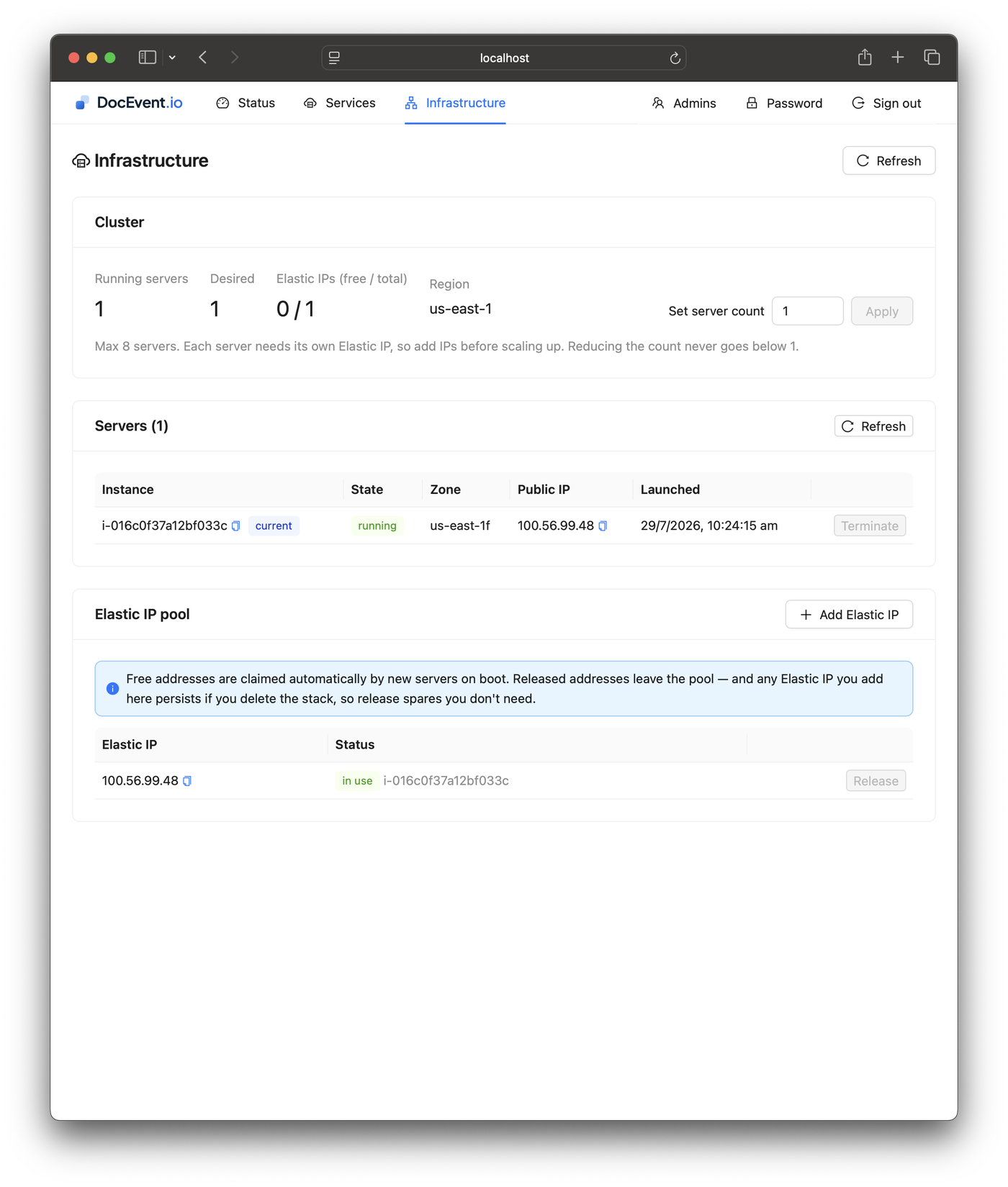
Fleet scaling
Set the server count and manage the Elastic IP pool — the stack self-heals and scales.
Preview
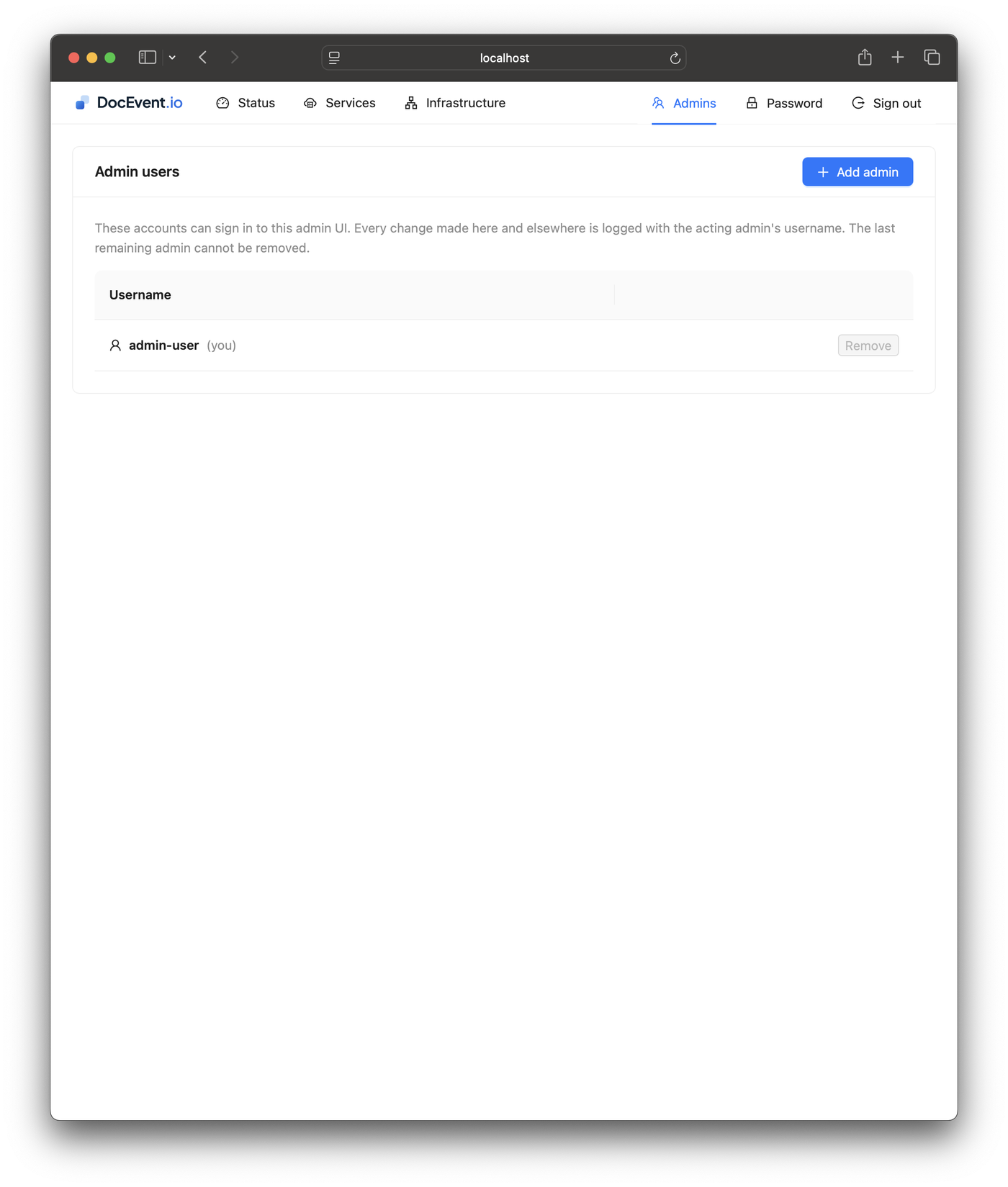
Admin accounts
Multiple admin users for the control panel; every change is logged with the acting admin.
From listing to logins in minutes
1
Subscribe on AWS Marketplace
Open the listing and subscribe. Usage is billed hourly to your AWS account — there is nothing to buy from DocEvent.
2
Launch the CloudFormation stack
Pick a VPC, public subnets, instance count and allowed IP ranges. The stack creates the servers, an Elastic IP pool and a private, encrypted configuration bucket.
3
Complete first-run setup
Open the admin UI and create your admin password and first file-transfer user — it reaches you over an SSM port-forward by default, with no inbound ports open.
4
Connect your clients
Point any SFTP, FTPS, FTP or SCP client at the stack's stable public IPs and start transferring files straight into your own buckets.
Get it on the AWS Marketplace
Rather have DocEvent run the servers for you? See the managed Simple FTP Service — free to start, nothing to deploy.
How it compares
The closest AWS-native alternative is AWS Transfer Family. Both put a file-transfer front end on cloud storage — the pricing models are where they part ways.
AWS Transfer Family rates as published for us-east-1 (aws.amazon.com/aws-transfer-family/pricing). The DocEvent example includes the flat US$0.2283/hr software fee plus a typical t4g.small instance; standard AWS infrastructure charges apply to both products.